
Meitner launches an entirely new AI teaching assistant, free across the whole country.
Read more

AI that frees up time for what truly matters; learning

Get support in creating assessments, learning materials, and lesson plans.

Fråga Meitner AI om |
Curve

Text assesment process

01
02
03
icon

Subject/course

icon
Assignment and student work

Start by uploading the assignment and the students’ work.

icon
Subject/course

Then select the relevant subject/course, the core content, and also the criteria.

icon

Suggestions for feedback and comments

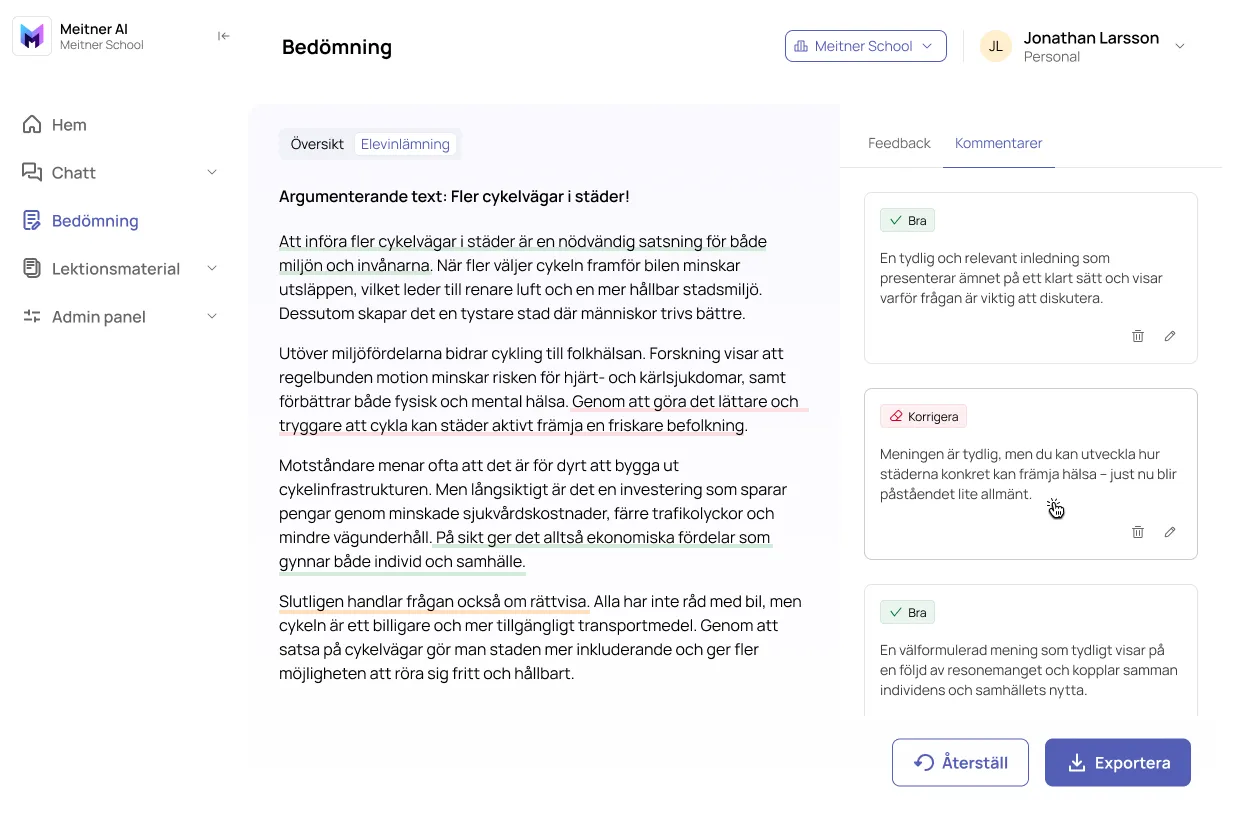
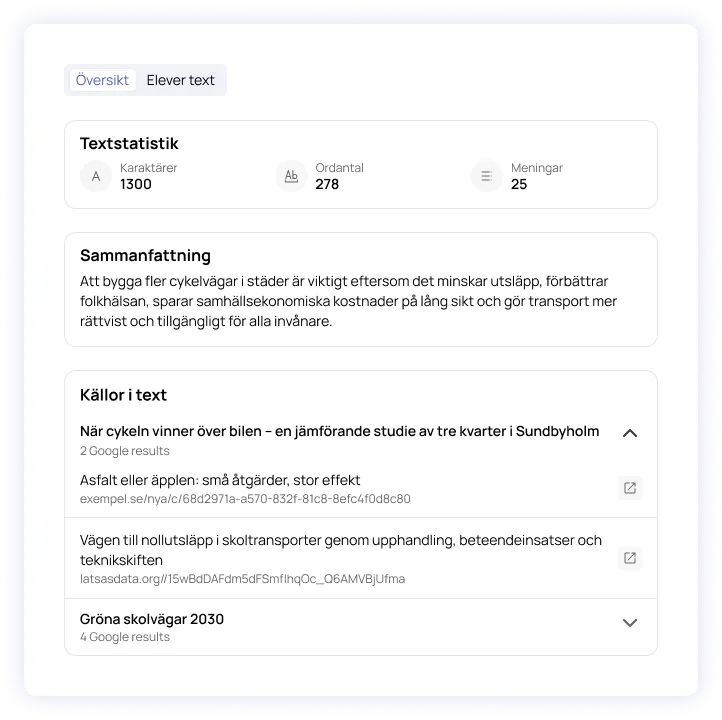
As a teacher, you then get an overview of the student’s text and a separate feedback view where you receive a ready-made draft with feedback and comments.

Overview of the student’s text

Suggested feedback draft

Ready-made comments in the student’s text

Join us and create your Meitner AI account today  — Create your free account today.
icon

Publish feedback

With a single click, you can publish/export your feedback from Meitner AI to the Meitner school platform or another third-party service.

book a demo
get started, It’s FREE

Frequently Asked Questions

Which AI models do you use?
Is it GDPR-safe?
Do you need to have Meitner as your school platform to use Meitner AI?
What does Meitner AI help with?
Does Meitner AI integrate with any other systems?
As a teacher, is it possible for me to test the tool myself?